


Chord Analyzer from Audio: A Practical Guide to Faster Chord Detection
If you need a chord analyzer from audio, this guide is for you. Many musicians want accurate chord progressions without spending hours transcribing by ear. So, using audio-based analysis is often the fastest starting point.
The workflow is straightforward. First, upload an audio file or paste a YouTube URL. Next, wait for AI analysis. Then, review the detected progression and apply it to your instrument.
What Is a Chord Analyzer from Audio?
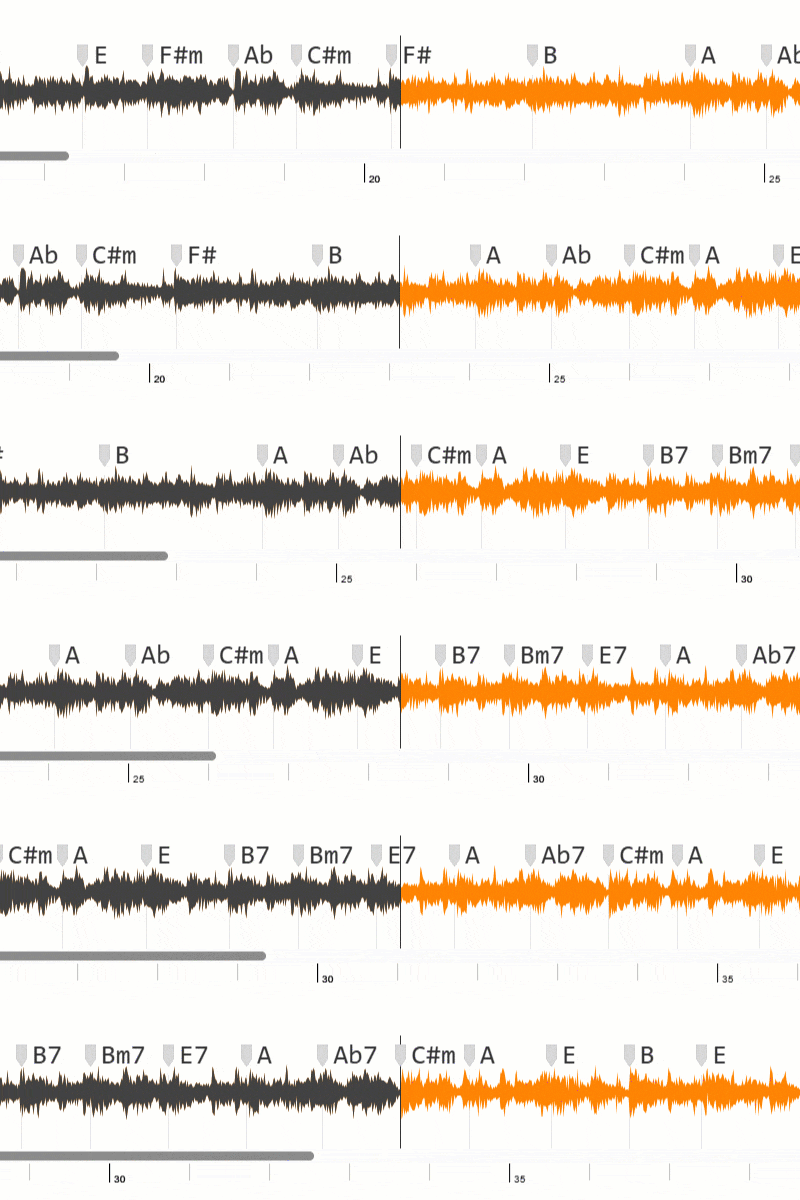
A chord analyzer from audio is a tool that listens to a recording and estimates the harmonic progression over time. In practice, it helps you identify likely chords by section, which is useful for study, rehearsal, and arrangement work.
Because modern systems use machine learning, they can process many genres effectively. As a result, this method works for pop, rock, worship, acoustic, and many other styles.
Why Use a Chord Analyzer from Audio?
1) Save Time During Practice
Instead of starting from a blank page, you begin with a harmonic draft. Therefore, you can move into practical playing much faster.
2) Improve Chord Accuracy
You still confirm by ear, but you do not start from zero. In addition, section-by-section review makes errors easier to spot.
3) Build Better Charts and Lessons
Teachers, creators, and band players can organize material faster. Consequently, they can spend more time on performance quality.
How a Chord Analyzer from Audio Works
- First, the tool receives your uploaded song or video link.
- Next, it analyzes pitch and harmonic patterns.
- Then, it estimates chord labels over each section.
- Finally, it presents a progression you can test and refine.
This gives you a practical map. After that, your ear and musical context finalize the details.
Step-by-Step: Better Results with a Chord Analyzer from Audio
Step 1: Choose a Clean Source File
First, use the best audio quality available. Otherwise, distortion or background noise can reduce detection quality.
Step 2: Upload the Song or Paste a URL
Next, submit the file or link and start analysis. Usually, this takes only a few seconds.
Step 3: Review Chords by Song Section
Then, check intro, verse, chorus, and bridge one by one. Meanwhile, mark any section that sounds uncertain.
Step 4: Validate and Adjust by Ear
Finally, test the chords on your instrument and adjust voicings when needed. In other words, use AI speed plus human musical judgment.
Common Chord Analyzer from Audio Mistakes
Mistake 1: Trusting Output Blindly
Auto-detection is helpful, but not perfect. So, always confirm important transitions by ear.
Mistake 2: Ignoring Song Key
If a section feels wrong, verify key center and possible transposition. Often, one correction improves the full progression.
Mistake 3: Using Generic Voicings Everywhere
Chord labels are only the start. However, the final result depends on style-appropriate voicing choices.
Who Benefits Most from a Chord Analyzer from Audio?
- Beginners learning songs faster.
- Intermediate musicians improving harmonic understanding.
- Teachers preparing practical lesson content.
- Creators producing covers and tutorials.
- Bands organizing arrangements for rehearsal.
Final Thoughts
Overall, a chord analyzer from audio is a practical way to speed up harmonic analysis. In fact, it helps you spend less time guessing and more time making music.
If you combine fast detection with careful listening, you will build better charts, cleaner arrangements, and more confident performance results.